

Different Classes in R
Grayson White
Math 241
Week 7 | Spring 2026
Mon Lecture
R!Wed Lecture
Github Repo = RStudio Project / Positron folder
This means you need to create a new RStudio project that is synced with your group’s GitHub repo that I created.
Once your GitHub repo and RStudio project are synced, here’s your workflow:
Pull the most recent version of the repo from GitHub to your RStudio project.
Do some work on your project in RStudio.
Projects: Can use to create to do lists and stay organized.
Issues: Useful method to communicate with your group members.
Branches: A tool for taking a detour from the main stream of development.
If you have Git experience or want to try out branches, check out Ch 22 in Happy Git with R.
For novices, I recommend staying on the main branch.
R with lubridate
Question: When did the crashes happen?
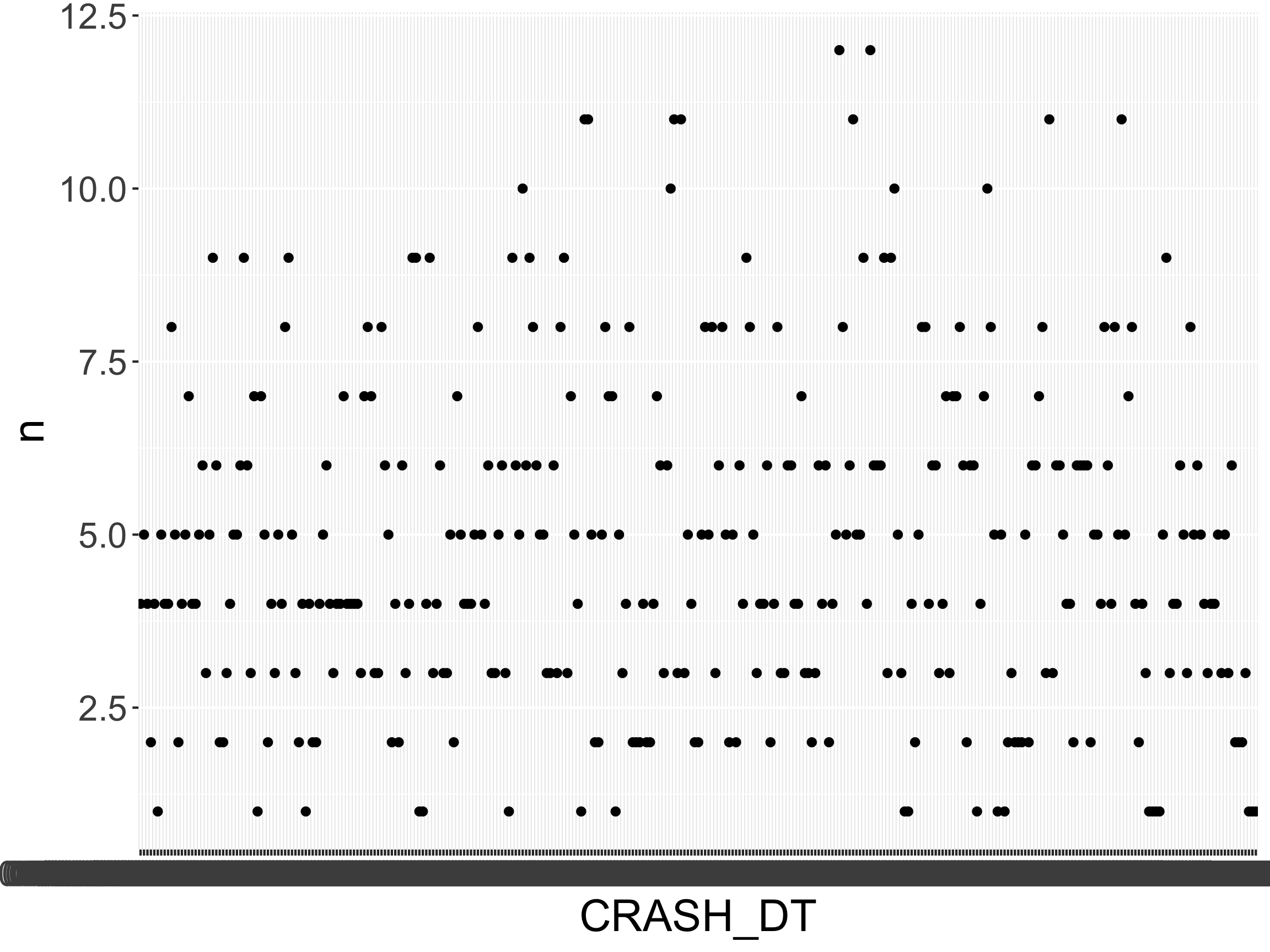
[1] "02/01/18 00:00:00" "02/11/18 00:00:00" "03/09/18 00:00:00"
[4] "04/09/18 00:00:00" "10/10/18 00:00:00" "05/24/18 00:00:00"
[1] "character"
What class should it be?
Identify the order of year, month, day, hour, minute, second
Pick the lubridate function that replicates that order.
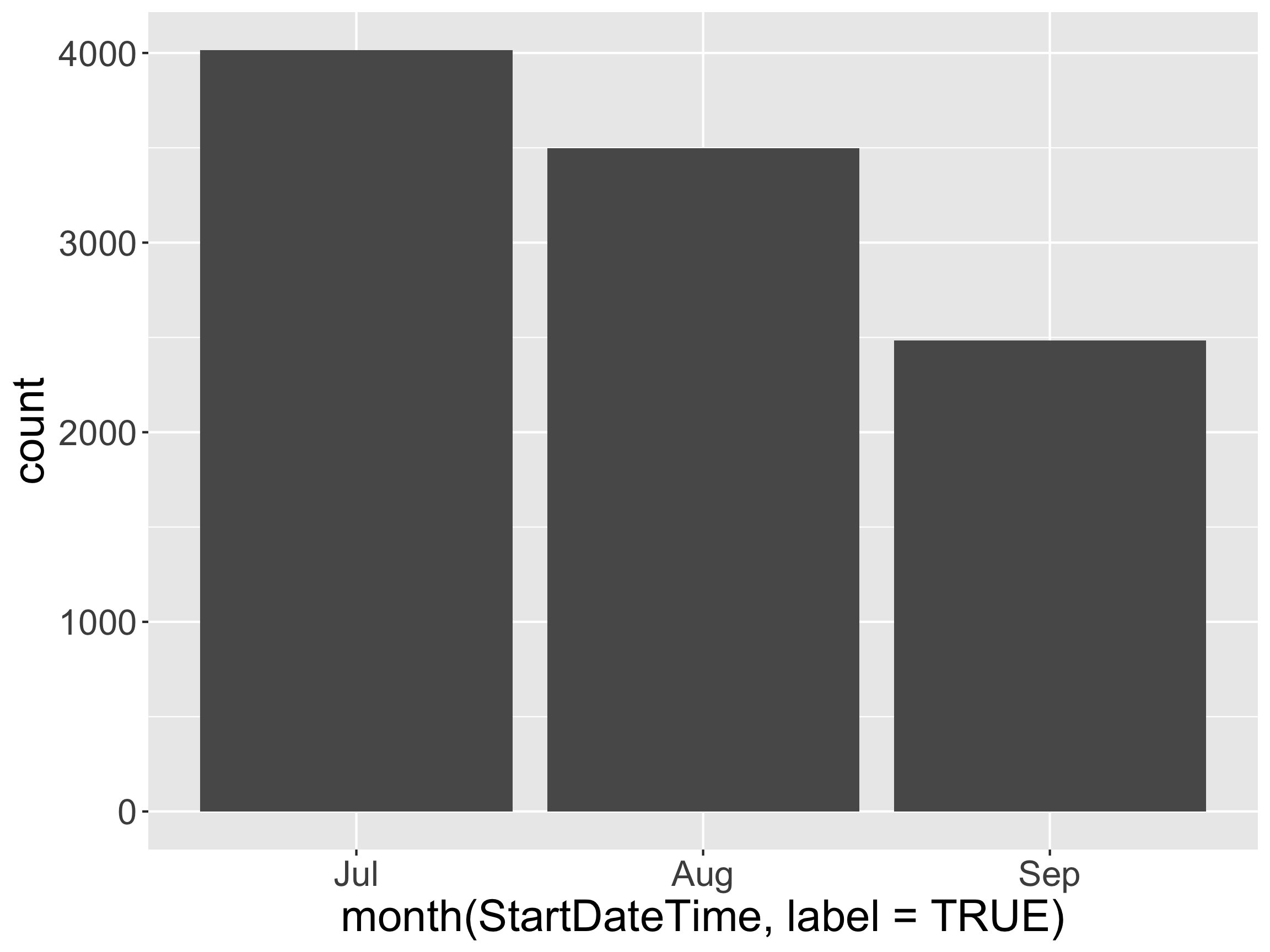
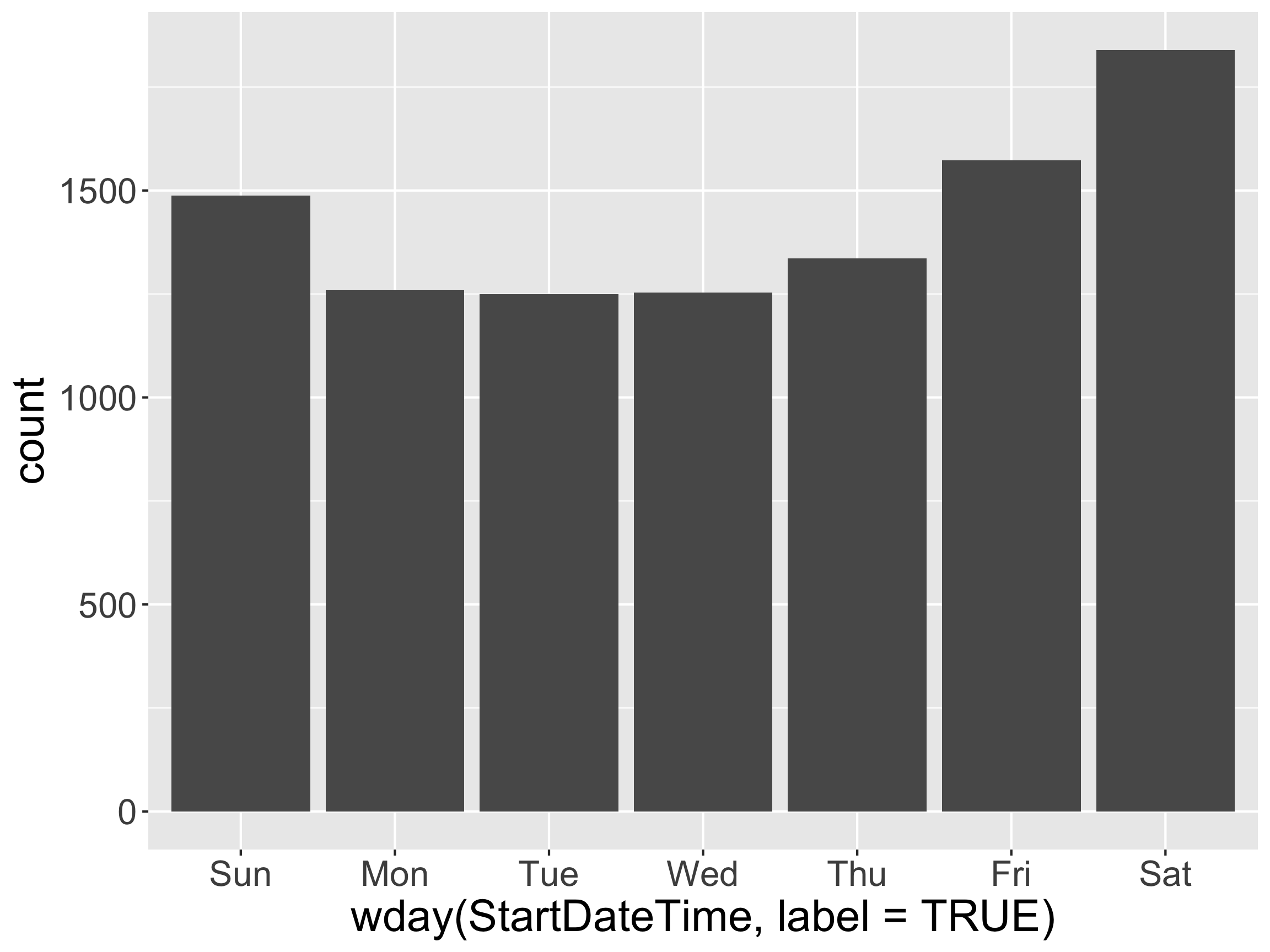
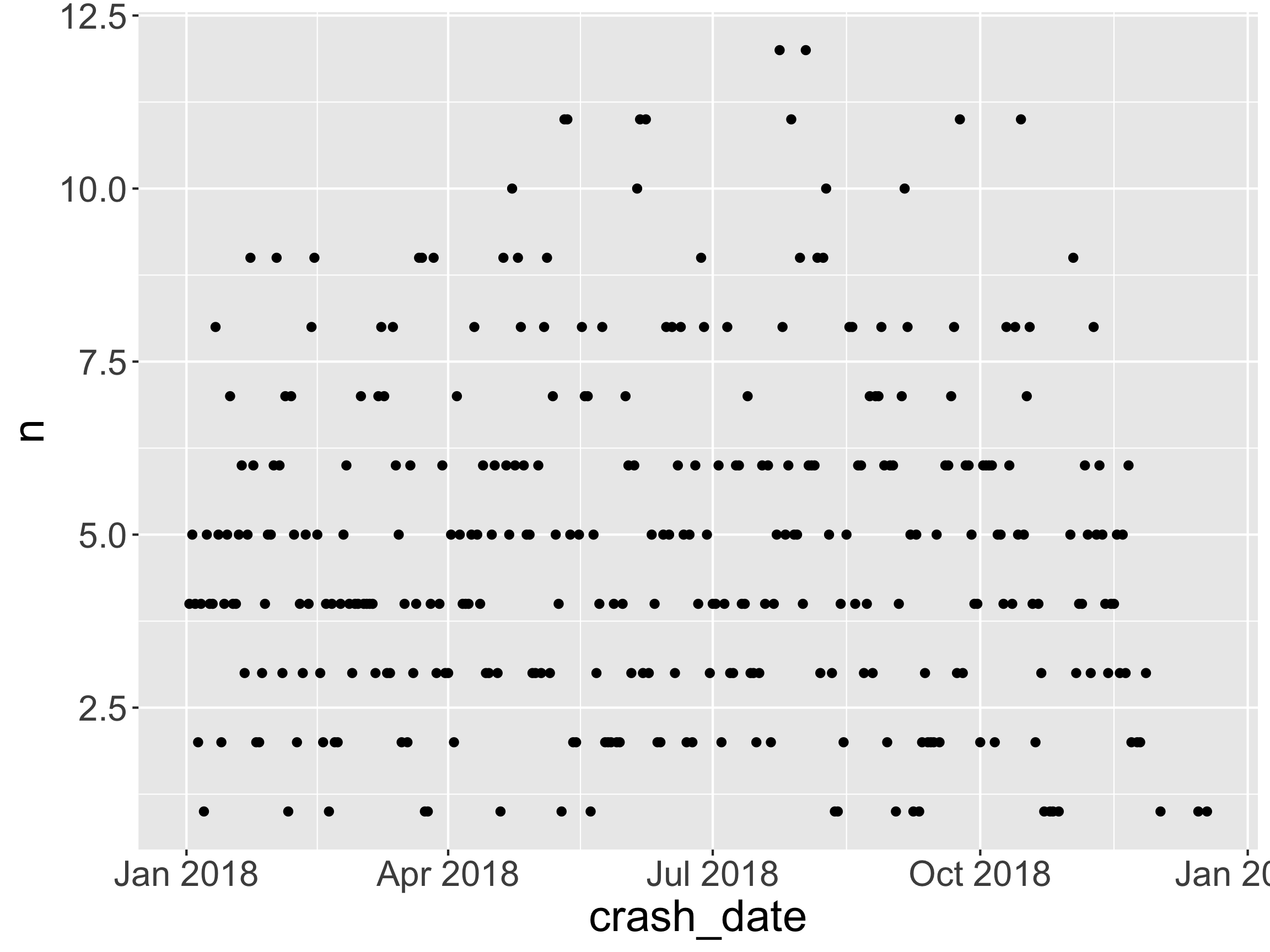
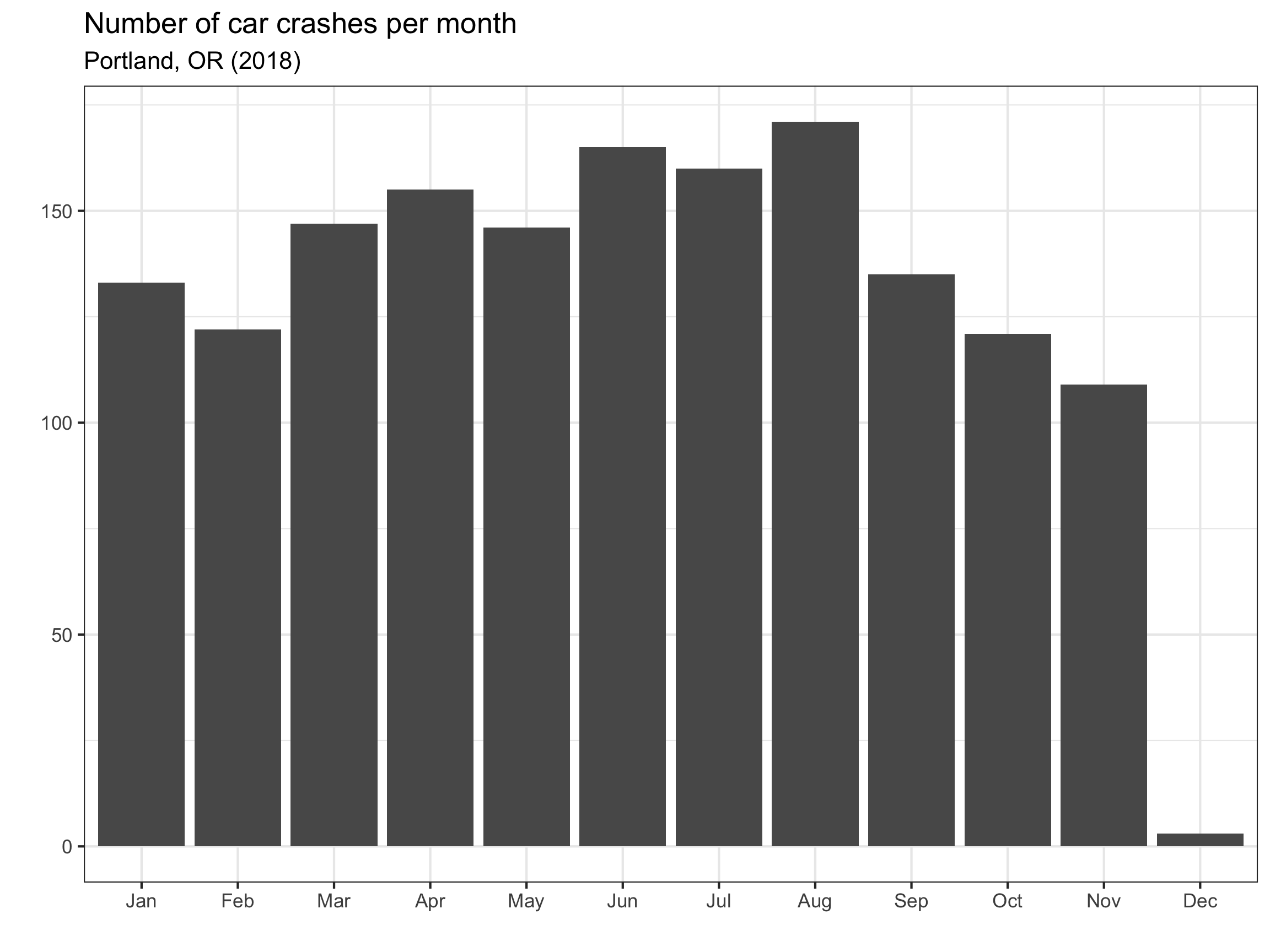
Question: When did the crashes happen?
All check-outs for July - August of 2017
Rows: 9,999
Columns: 6
$ StartDate <chr> "8/17/2017", "7/22/2017", "7/27/2017", "7/12/2017", "7/…
$ StartTime <time> 10:44:00, 14:49:00, 14:13:00, 13:23:00, 19:30:00, 10:0…
$ EndDate <chr> "8/17/2017", "7/22/2017", "7/27/2017", "7/12/2017", "7/…
$ EndTime <time> 10:56:00, 15:00:00, 14:42:00, 13:38:00, 20:30:00, 10:5…
$ Distance_Miles <dbl> 1.91, 0.72, 3.42, 1.81, 4.51, 5.54, 1.59, 1.03, 0.70, 1…
$ BikeID <dbl> 6163, 6843, 6409, 7375, 6354, 6088, 6089, 5988, 6857, 6…
Rows: 9,999
Columns: 8
$ StartDate <date> 2017-08-17, 2017-07-22, 2017-07-27, 2017-07-12, 2017-0…
$ StartTime <time> 10:44:00, 14:49:00, 14:13:00, 13:23:00, 19:30:00, 10:0…
$ EndDate <date> 2017-08-17, 2017-07-22, 2017-07-27, 2017-07-12, 2017-0…
$ EndTime <time> 10:56:00, 15:00:00, 14:42:00, 13:38:00, 20:30:00, 10:5…
$ Distance_Miles <dbl> 1.91, 0.72, 3.42, 1.81, 4.51, 5.54, 1.59, 1.03, 0.70, 1…
$ BikeID <dbl> 6163, 6843, 6409, 7375, 6354, 6088, 6089, 5988, 6857, 6…
$ StartDateTime <dttm> 2017-08-17 10:44:00, 2017-07-22 14:49:00, 2017-07-27 1…
$ EndDateTime <dttm> 2017-08-17 10:56:00, 2017-07-22 15:00:00, 2017-07-27 1…
forcats
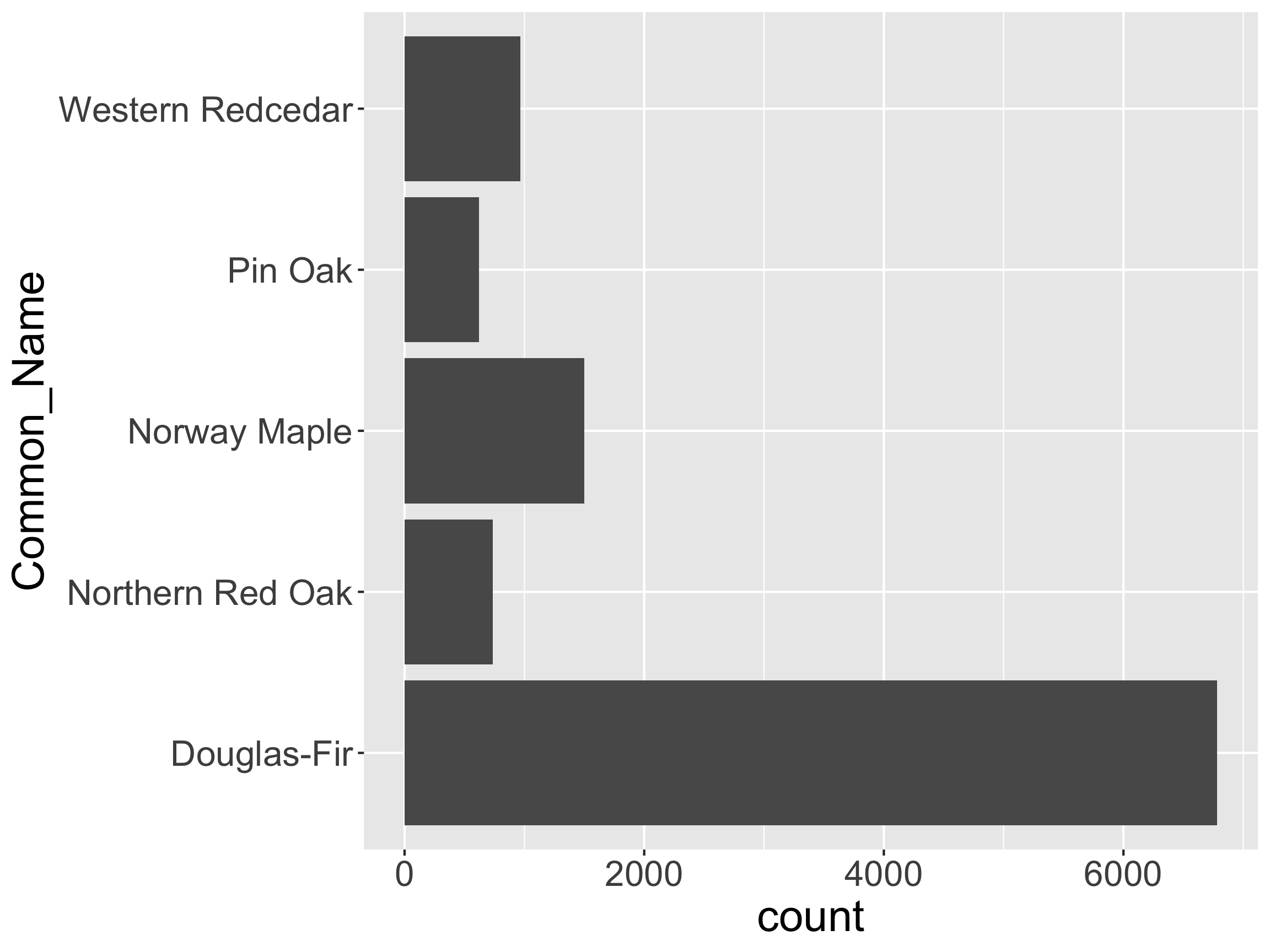
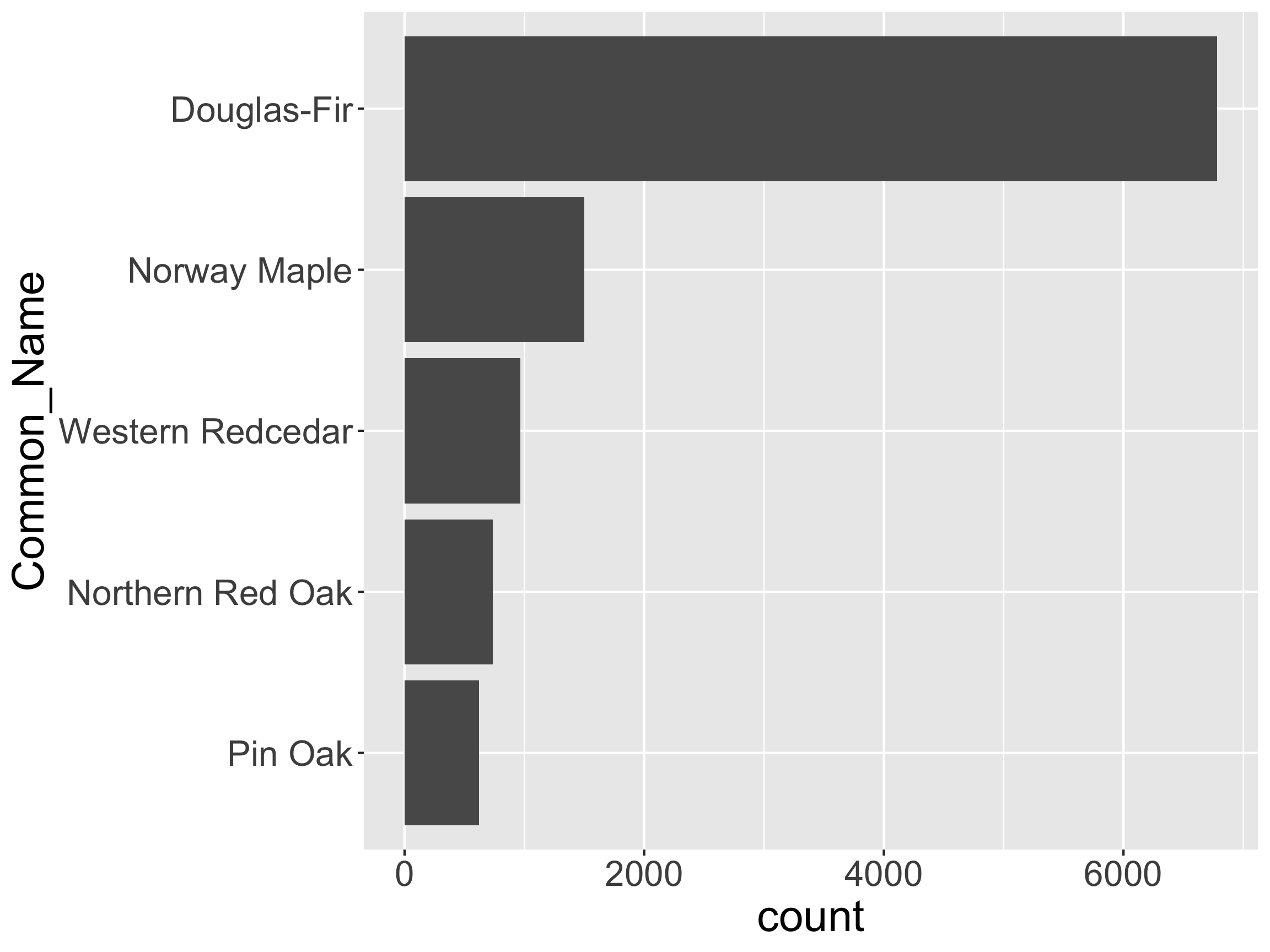
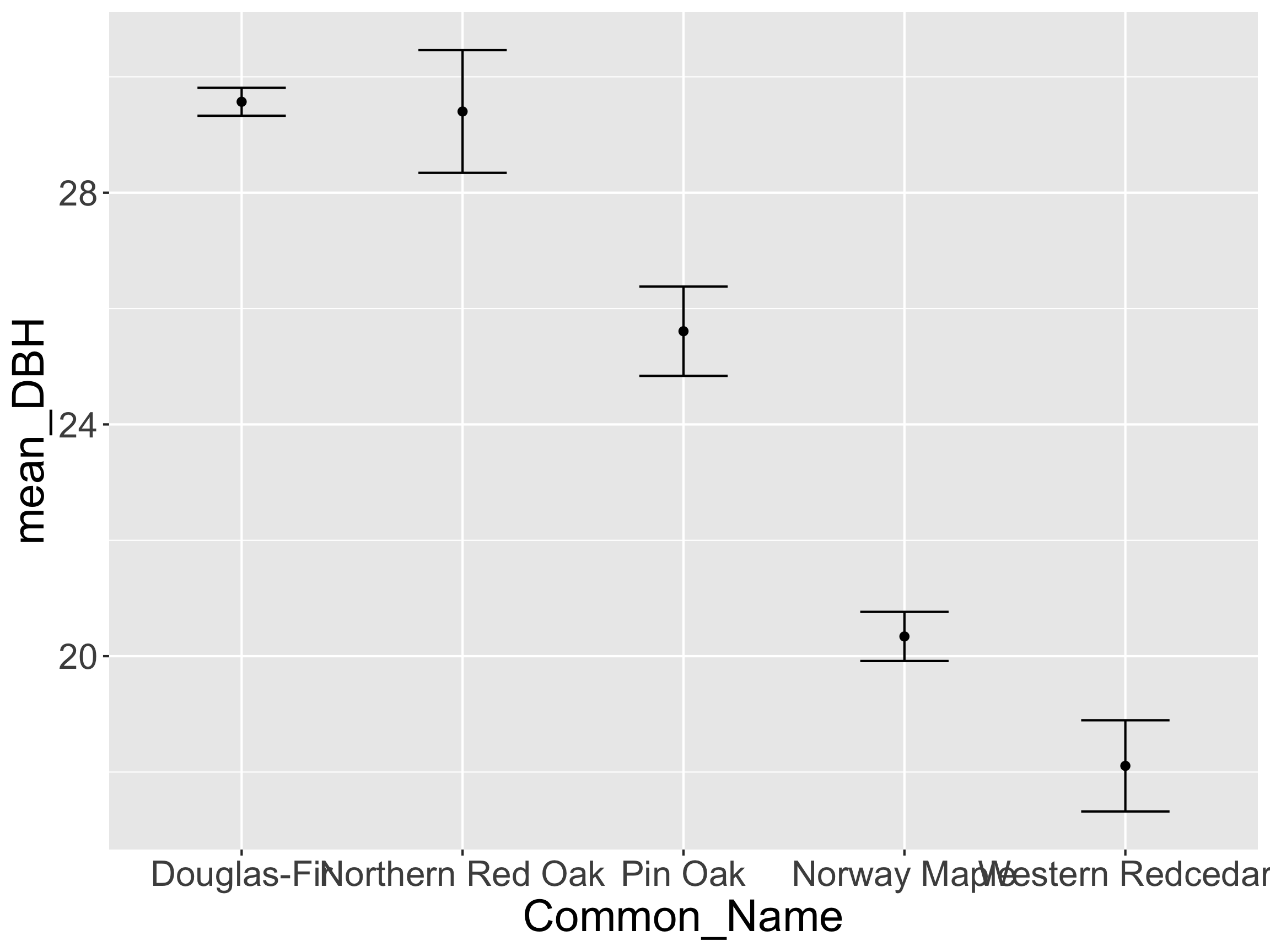
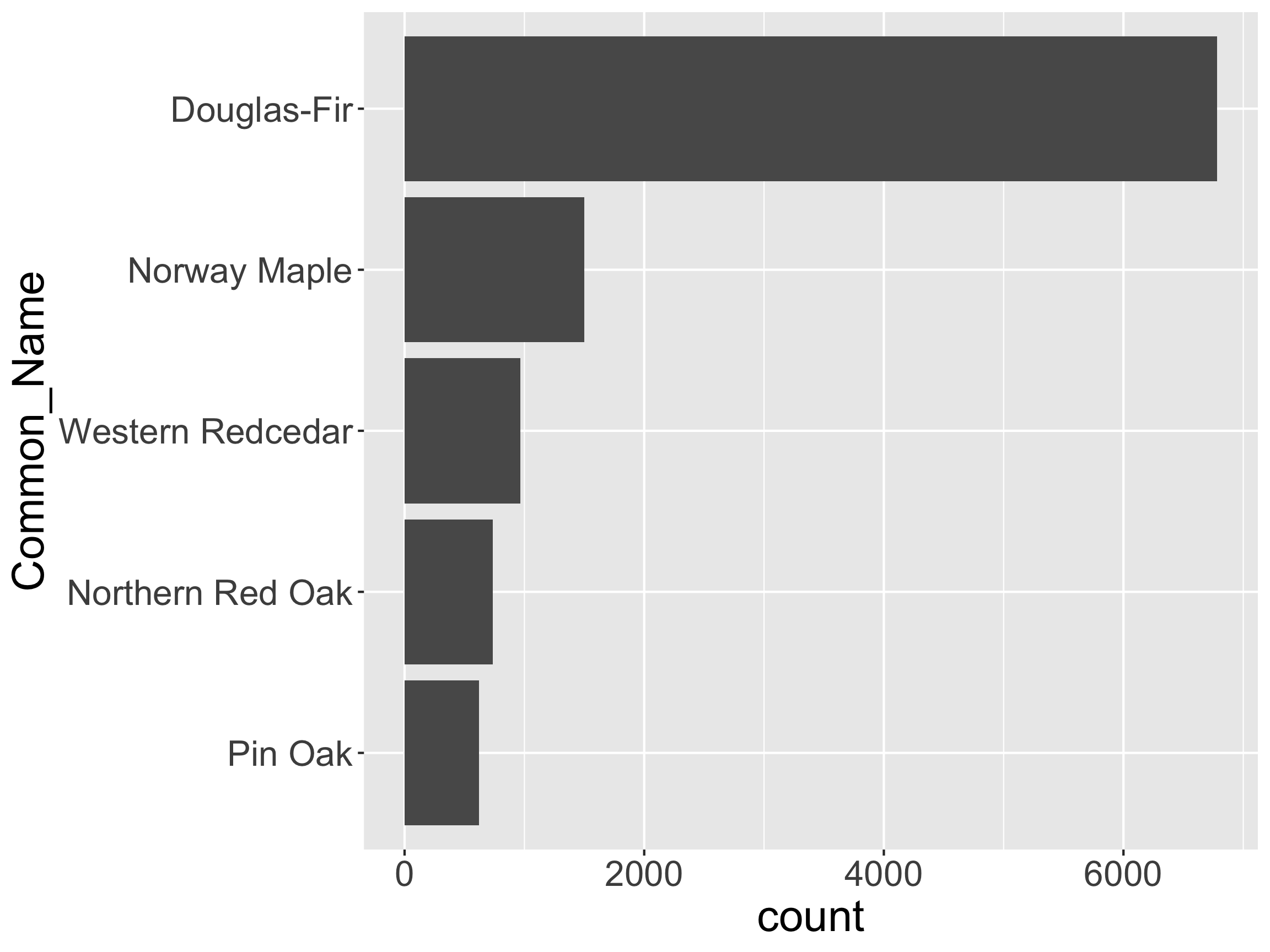
How might we want to restructure this graph?
[1] "character"
[1] "Douglas-Fir" "Northern Red Oak" "Norway Maple" "Pin Oak"
[5] "Western Redcedar"
[1] "factor"
R deciding the order of the levels?[1] Douglas-Fir Northern Red Oak Norway Maple Pin Oak
[5] Western Redcedar
5 Levels: Douglas-Fir Northern Red Oak Norway Maple ... Western Redcedar
[1] Douglas-Fir Northern Red Oak Norway Maple Pin Oak
[5] Western Redcedar
5 Levels: Douglas-Fir Northern Red Oak Norway Maple ... Western Redcedar

Note: This code didn’t permanently change the order in pdxCommon. Why?
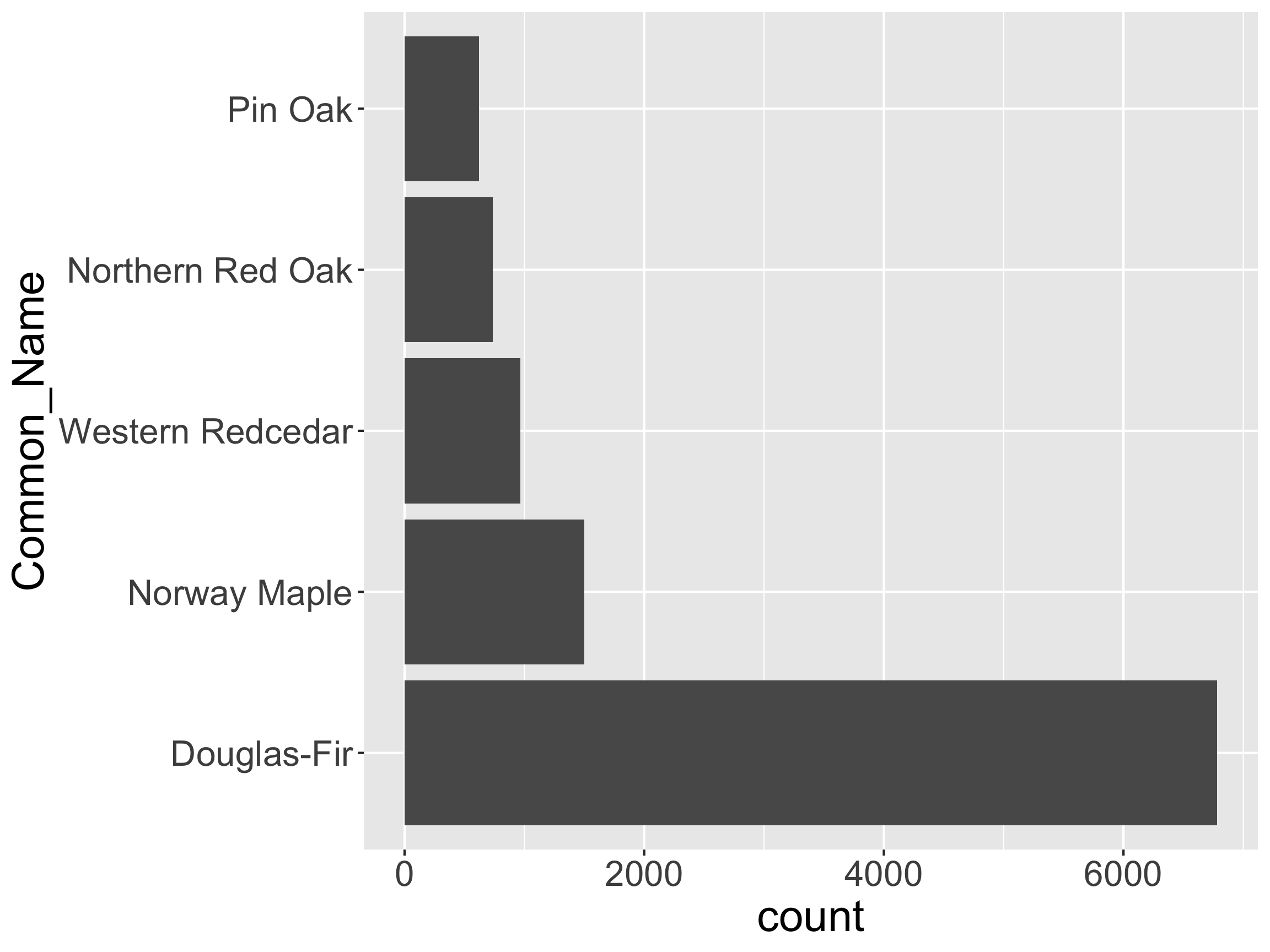
How might we want to restructure this graph?
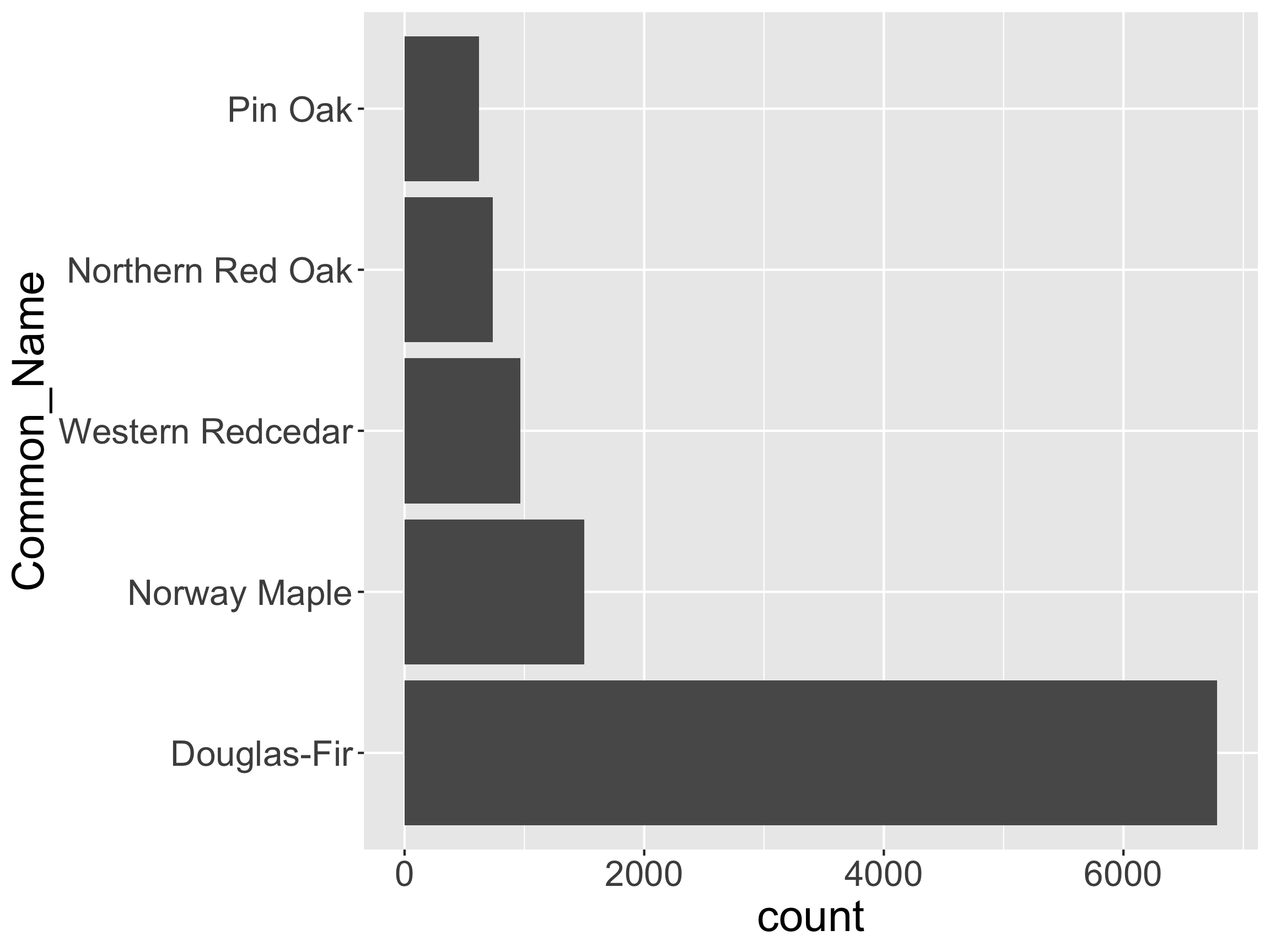
reverse the Levels
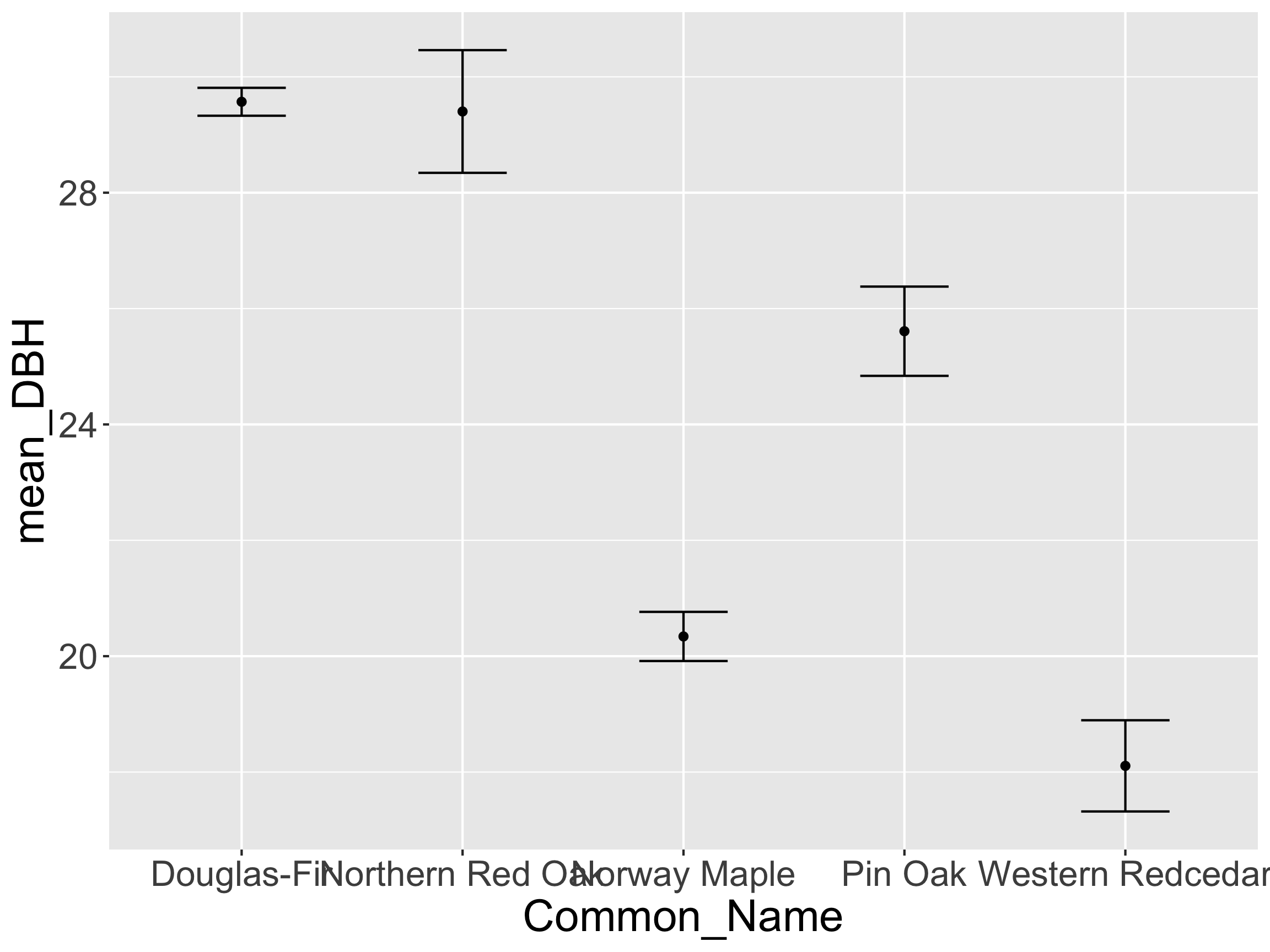
# A tibble: 5 × 4
Common_Name mean_DBH lb_DBH ub_DBH
<fct> <dbl> <dbl> <dbl>
1 Douglas-Fir 29.6 29.3 29.8
2 Northern Red Oak 29.4 28.3 30.5
3 Norway Maple 20.3 19.9 20.8
4 Pin Oak 25.6 24.8 26.4
5 Western Redcedar 18.1 17.3 18.9

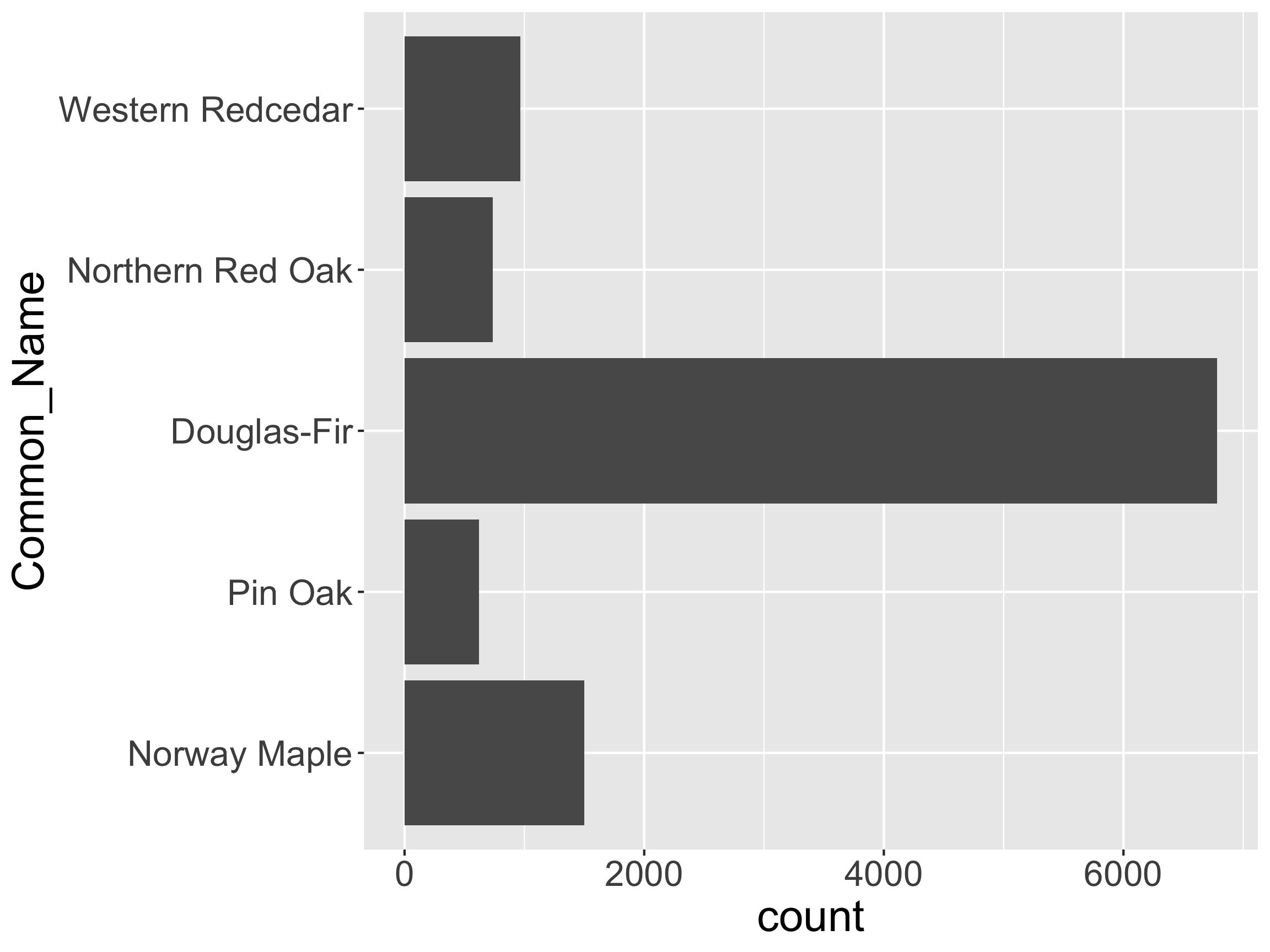
Common_Name?
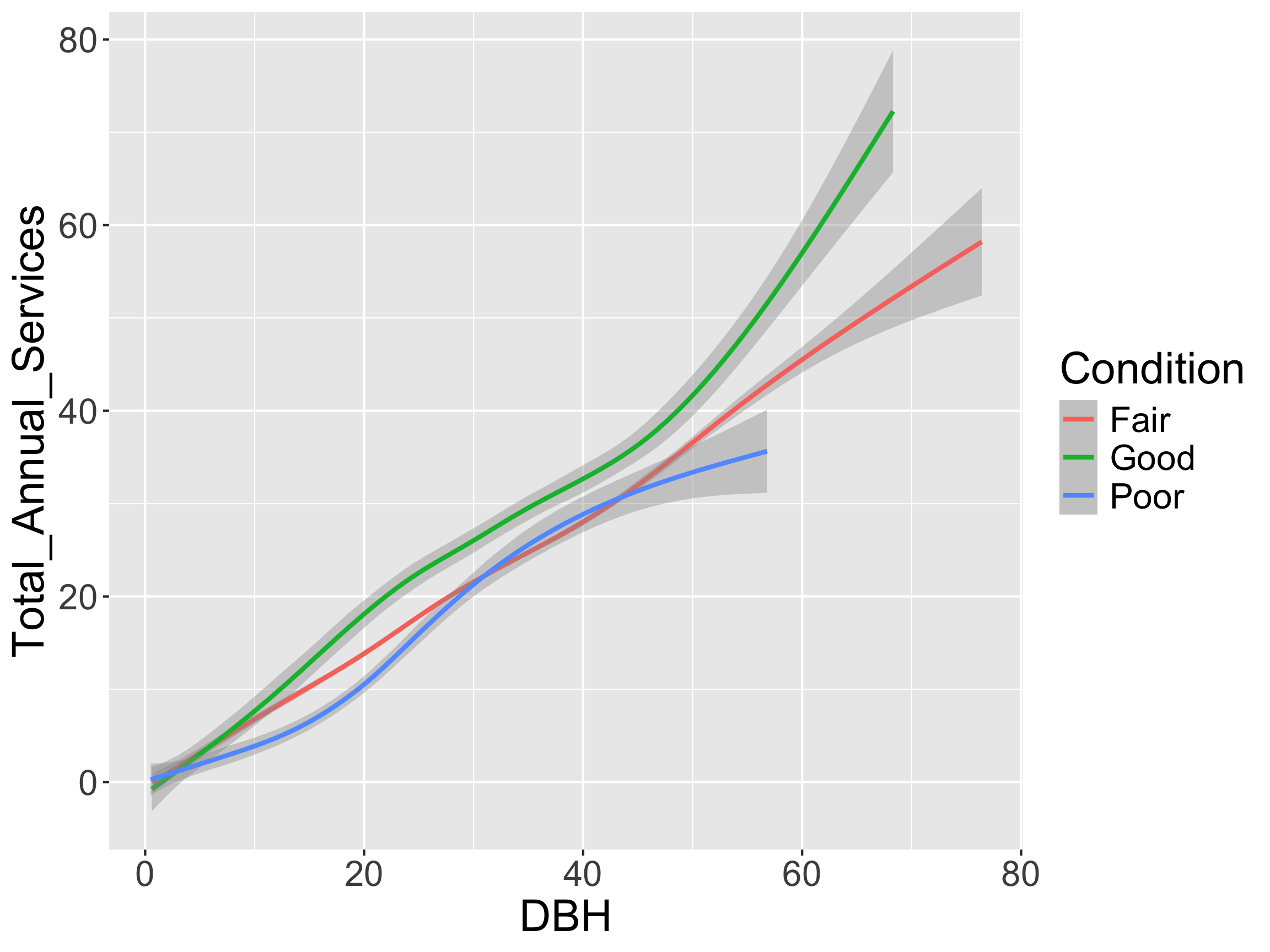
Condition?Other useful functions in forcats:
fct_collapse(): Collapse some levels togetherfct_drop(): Remove levels (useful after a filter()!)fct_recode(): Change names of levelsstringr!
stringr using a character vector of song lyrics.[1] "But I would walk 500 miles,"
[2] "And I would walk 500 more,"
[3] "Just to be the man who walks a 1000 miles,"
[4] "To fall down at your door"

stringr functions start with str_[1] "BUT I WOULD WALK 2 MILES,"
[2] "AND I WOULD WALK 500 MORE,"
[3] "JUST TO BE THE MAN WHO WALKS A 1000 MILES,"
[4] "TO FALL DOWN AT YOUR DOOR"
[1] "But I Would Walk 2 Miles,"
[2] "And I Would Walk 500 More,"
[3] "Just To Be The Man Who Walks A 1000 Miles,"
[4] "To Fall Down At Your Door"
I want to match the pattern 500 from lyric.
[1] "But I would walk 2 miles,"
[2] "And I would walk 500 more,"
[3] "Just to be the man who walks a 1000 miles,"
[4] "To fall down at your door"
I want to locate all the numbers.
[1] "But I would walk 2 miles,"
[2] "And I would walk 500 more,"
[3] "Just to be the man who walks a 1000 miles,"
[4] "To fall down at your door"
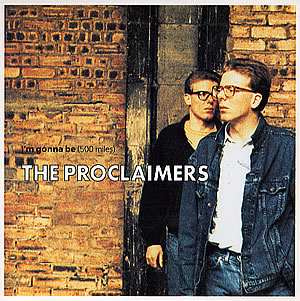
Name the artist and song title for each of the following!
[1] "But I would walk 500 miles"
[2] "Yeah, 360. When you're in the mirror, do you like what you see?"
[3] "I have loved you for a 1000 years, I'll love you for a 1000 more"
[4] "Where 2 and 2 always makes a 5"
[5] "17-38, ay"
[6] "I'm so 3008, You so 2000 and late"
[1] │ But I would walk <500> miles
[2] │ Yeah, 360. When you're in the mirror, do you like what you see?
[3] │ I have loved you for a <1000> years, I'll love you for a <1000> more
[4] │ Where <2> and <2> always makes a 5
[5] │ 17-38, ay
[6] │ I'm so 3008, You so <2>000 and late
[1] "But I would walk 500 miles"
[2] "Yeah, 360. When you're in the mirror, do you like what you see?"
[3] "I have loved you for a 1000 years, I'll love you for a 1000 more"
[4] "Where 2 and 2 always makes a 5"
[5] "17-38, ay"
[6] "I'm so 3008, You so 2000 and late"
[1] │ But I would walk <500> miles
[2] │ Yeah, <360>. When you're in the mirror, do you like what you see?
[3] │ I have loved you for a <1000> years, I'll love you for a <1000> more
[4] │ Where <2> and <2> always makes a <5>
[5] │ <17>-<38>, ay
[6] │ I'm so <3008>, You so <2>000 and late
But now imagine you had a very long vector and you want to locate any number?
Not a good approach!
Next time: Regular Expressions!