library(tidyverse)
dat <- read_csv("data/Math 241_ Check-in (Responses) - Form Responses 1.csv") %>%
  rename(
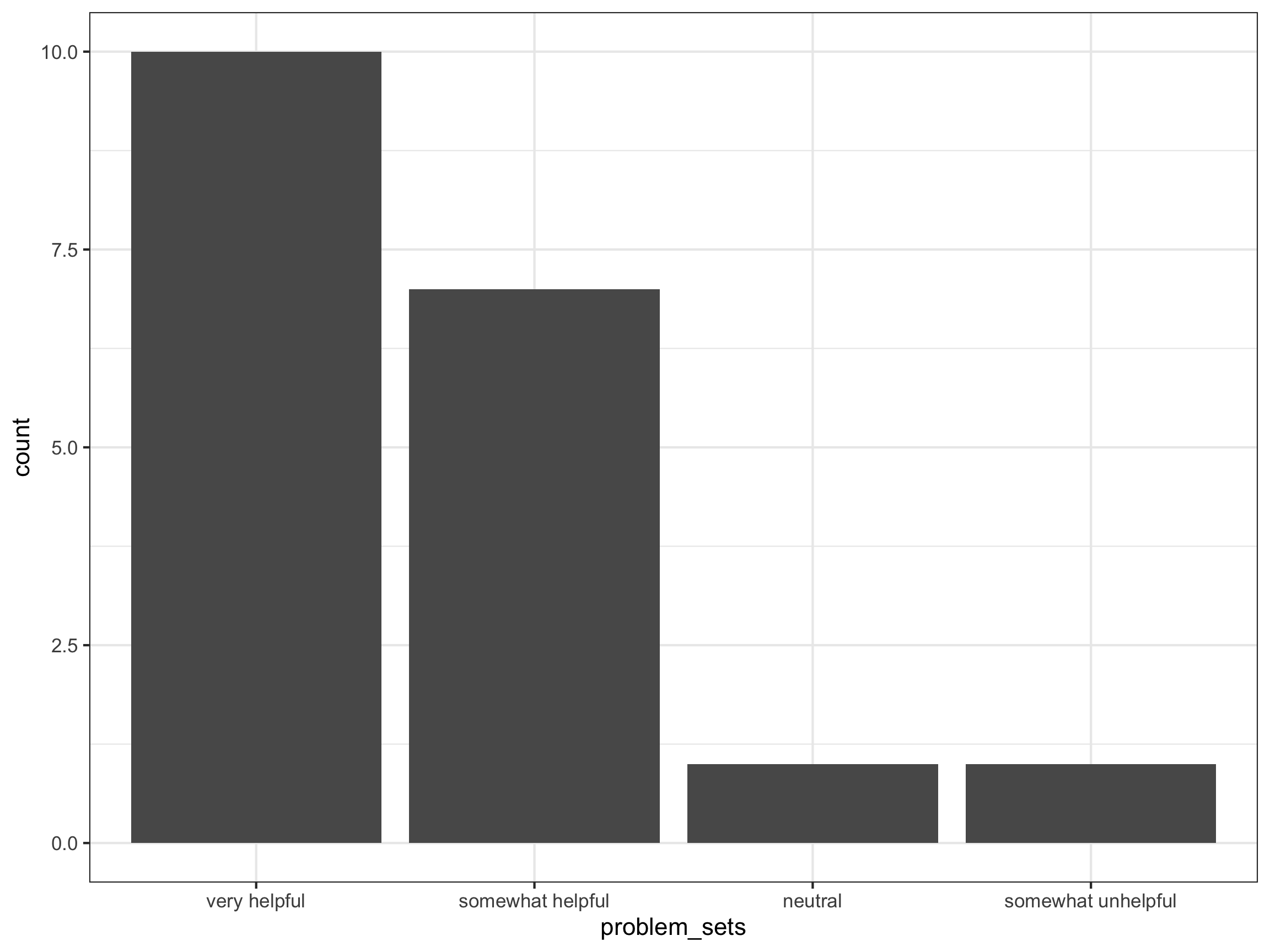
     problem_sets = `Problem sets for this course have been ________ for my learning`,
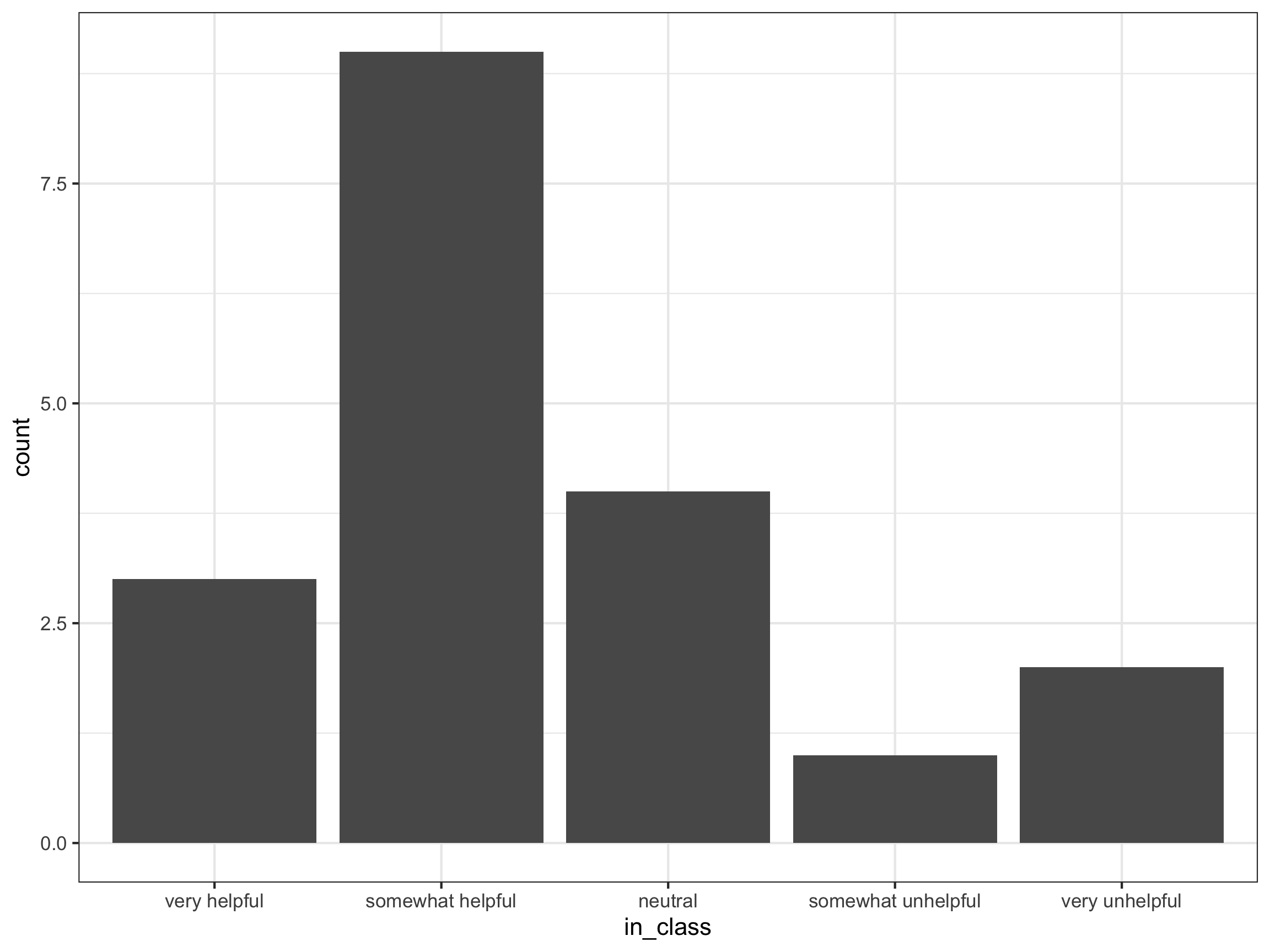
     in_class = `In class activities for this course have been ________ for my learning`,
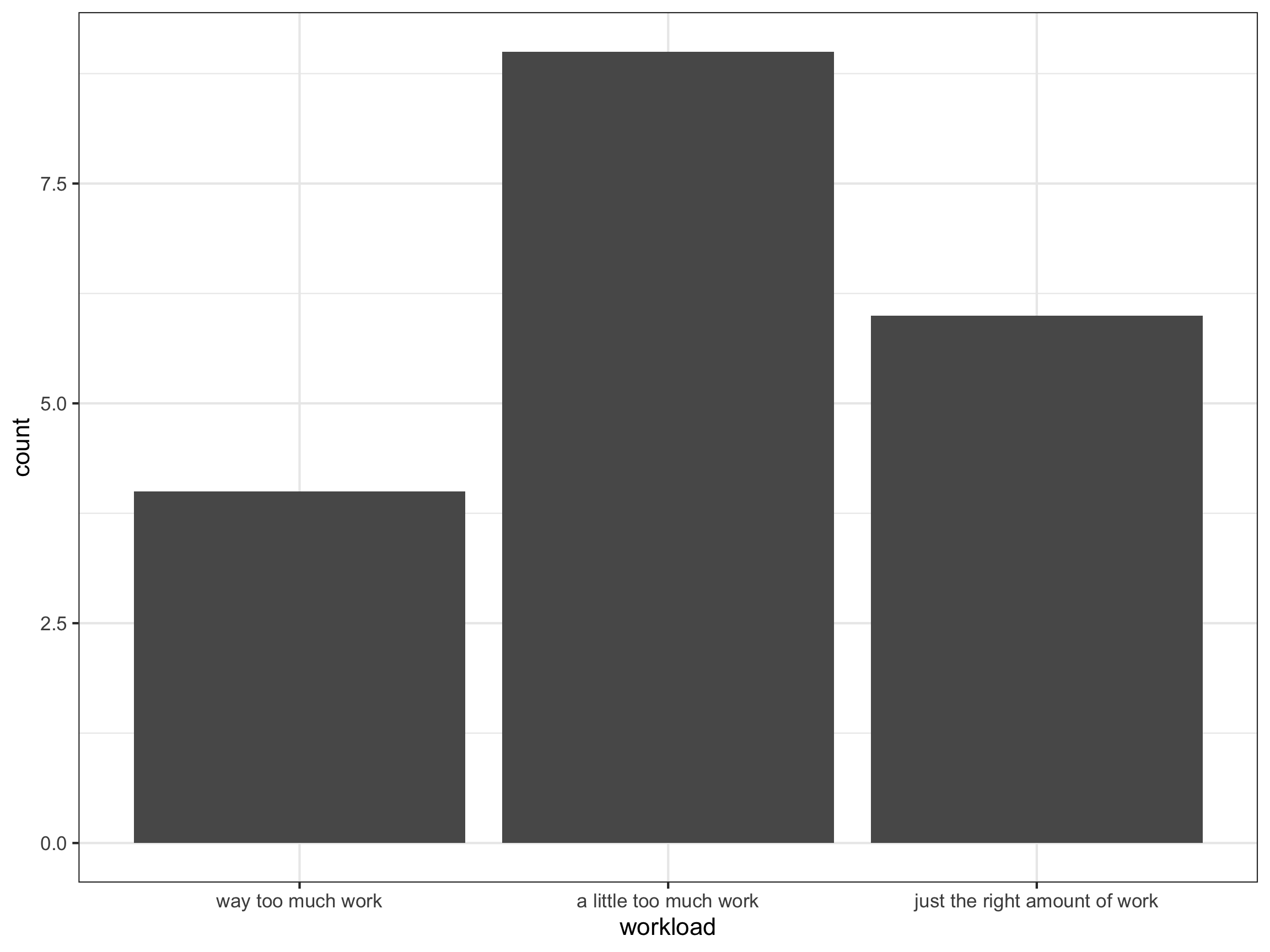
     workload = `How has the workload been for the course so far?`,
     classtime = `I wish we had...`,
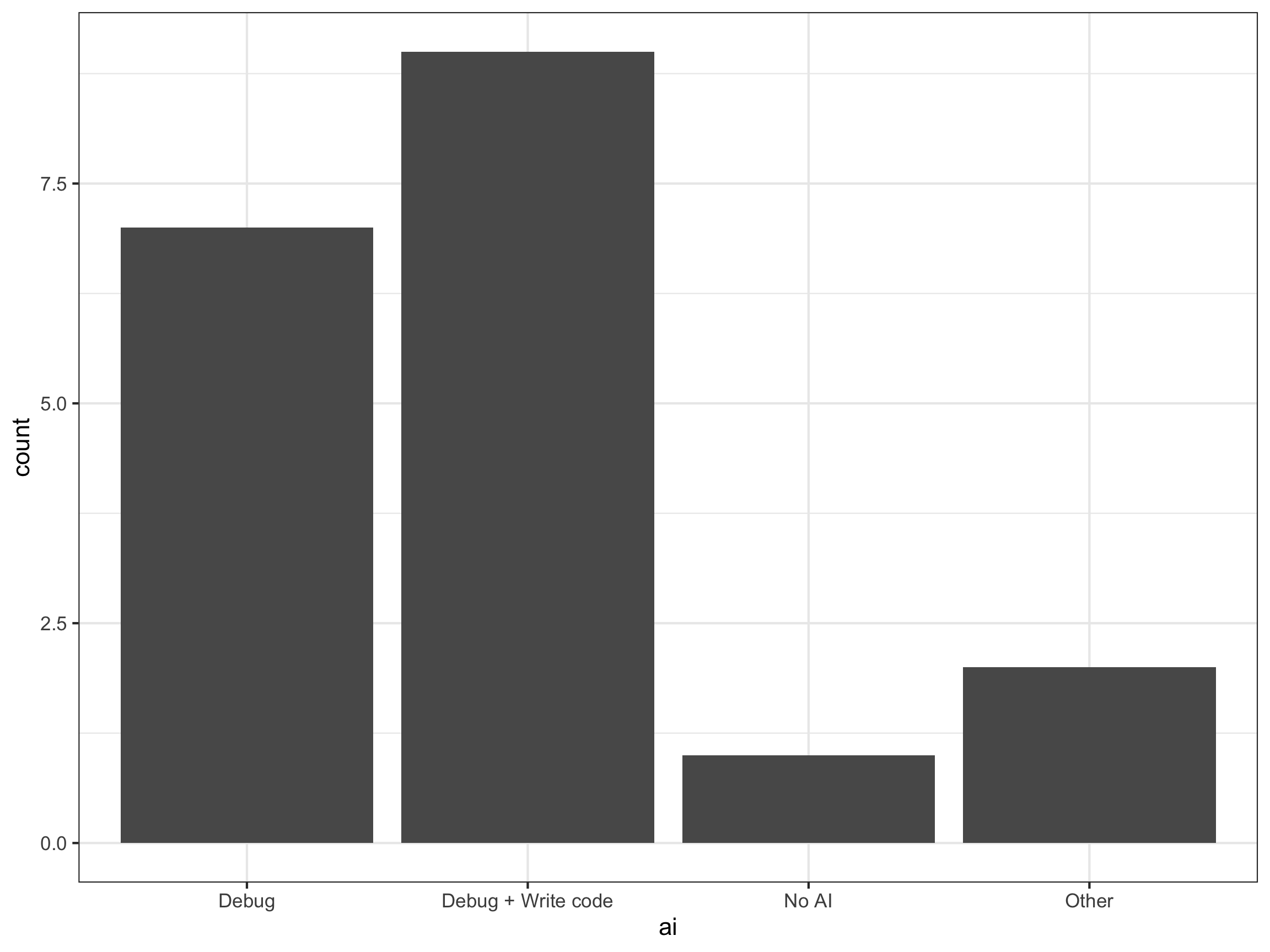
     ai = `What direction would you like to see the class go in regards to gen AI?`
  ) %>%
  select(problem_sets, in_class, workload, classtime, ai) %>%
  mutate(
    problem_sets = fct_relevel(problem_sets,
                               "very helpful",
                               "somewhat helpful",
                               "neutral",
                               "somewhat unhelpful",
                               "very unhelpful"),
    in_class = fct_relevel(in_class,
                               "very helpful",
                               "somewhat helpful",
                               "neutral",
                               "somewhat unhelpful",
                               "very unhelpful"),
    workload = fct_relevel(workload,
                               "way too much work",
                               "a little too much work",
                               "just the right amount of work"),
    ai = stringr::str_sub(ai, 1, 8),
    ai = case_when(
      ai %in% "Option 1" ~ "Debug",
      ai %in% "Option 2" ~ "Debug + Write code",
      ai %in% "Option 3" ~ "No AI",
      TRUE ~ "Other"
    )
  )
Project 1 Work Day
Grayson White
Math 241
Week 7 | Spring 2026
Annoucements
- DataFest 2026 @ Willamette
- Great opportunity to meet folks and show off your data science skills!
Week 7 Goals
Mon Lecture
- Learn more about strings, factors, dates, and times in
R!
Wed Lecture
- Project 1 work day
Project 1 Check-In
- If you haven’t already, make sure to read over the “Tips for getting started” section of the Project 1 instructions.
- Everyone should have access to their project group repo.
- Make sure to come by office hours with questions or to talk out your plan for your dashboard!
Timeline
- 3/2: Receive project groups released
- 3/4: Receive project instructions and invite to your group’s GitHub repo.
- Please use your assigned Math 241 GitHub repo for this project.
- 3/18 (noon): Post a working draft of your dashboard to https://www.shinyapps.io/
- 3/18 (noon): Post the link to the group’s dashboard to this spreadsheet.
- 3/18 - 3/20: Peer feedback period
- Each person will provide feedback on the dashboards of two groups.
- More guidance on providing feedback will be given in class that week.
- Peer feedback is due 3/20 at 10pm.
- 4/3 10pm: Link for the final version of dashboard should be added to this spreadsheet and PDF of your data scientist’s statement should be submitted on Gradescope.
- 4/5 10pm: Group member feedback form due.
Projects and Git/GitHub
Github Repo =
RStudioProject / Positron folderThis means you need to create a new
RStudioproject that is synced with your group’s GitHub repo that I created.- Quick video tutorial available here
Workflow
Once your GitHub repo and RStudio project are synced, here’s your workflow:
Pull the most recent version of the repo from GitHub to your RStudio project.
Do some work on your project in RStudio.
- Commit that work.
- Committing takes a snapshot of all the files in the project.
- Look over the Diff: which shows what has changed since your last update.
- Include a quick note, Commit Message to summarize the motivation for the changes.
- Push your commit to GitHub from RStudio.
Git Collaboration: Merge conflicts
- What if my collaborators and I both make changes?
- Scenario: Your collaborator makes changes to a file, commits, and pushes to GitHub. You also modify that file, commit and push.
- Result: Your push will fail because there’s a commit on GitHub that you don’t have.
- Usual Solution: Pull and usually git will merge their work nicely with yours. Then push. If that doesn’t work, you have a merge conflict. Let’s cross that bridge when we get there.
- How to avoid merge conflicts?
- First, always pull when you are going to work on your project.
- Then, always commit and push when you are done even if you made small changes.
Collaboration: Git Style
Projects: Can use to create to do lists and stay organized.
Issues: Useful method to communicate with your group members.
Branches: A tool for taking a detour from the main stream of development.
Git Branches
- Branch = Detour from main stream of development.
- Workflow:
- Create a new branch.
- Checkout (switch) to that branch.
- Commit the work for that branch.
- Merge it into the main branch.
- Can also be done on GitHub via a Pull Request.
If you have Git experience or want to try out branches, check out Ch 22 in Happy Git with R.
For novices, I recommend staying on the main branch.